Author: David G
Managed vs Unmanaged Switches
HP DL360 Gen10 vs DL380 Gen10
Introduction
HP’s Gen10 ProLiant RackMount servers offer a variety of Intel Xeon 3100-7100 family processors – with clock speeds ranging from 1.8-3.6 GHZ and up to 28 cores per processor. With 24 DIMM slots (12 DIMM slots per processor), these servers have immense memory capabilities that can be configured up to 3 TB per server. These servers also share the same management software have some overlap with their supported operating systems. While the HP ProLiant DL360 Gen10 and DL380 Gen10 share many of the same specifications, there are some major differences between the two. Use the table below to find out which server is the right fit for your business.
| Server | DL360 G10 | DL380 G10 |
| Product Image | 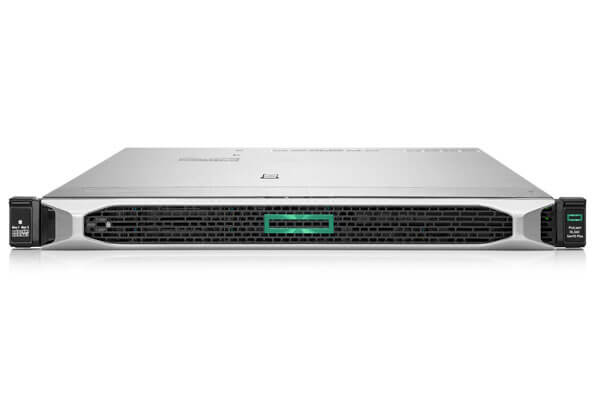 | 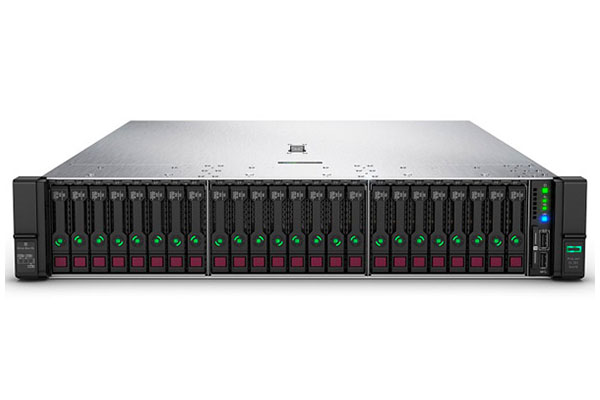 |
| Form Factor | 1U Rack | 2U Rack |
| Processors | Up to 2 Intel® Xeon® 3100, 4100, 5100, 6100, & 7100 family processors. Up to 28 cores per processor. 1.8 - 3.6GHz | Up to 2 Intel® Xeon® 3100, 4100, 4200, 5100, 5200, 6100, 6200, and 8100 family processors. Up to 28 cores per processor. 1.7 - 3.0 GHz |
| Memory | 24 DIMM slots (12 per processor) DDR4 starting at 2133 MT/s up to 2933 MT/s. Up to 768GB/1.5 TB RAM per processor. | 24 DIMM slots (12 per processor) DDR4 starting at 2133 MT/s up to 2933 MT/s. 768GB - 4.5TB RAM per processor. |
| Chipset | Intel C621 Chipset | Intel C621 Chipset |
| Drive Bays/Storage | SFF SAS - 22 TB SFF SATA HDD - 22 TB SSF SATA SSD - 42.24 TB SFF NVMe PCIe SSD - 23.84 TB LFF SAS - 40 TB LFF SATA - 40 TB LFF SATA SSD - 6.4 TB | SFF SAS HDD - 72.0 TB SFF SATA HDD - 60.0 TB LFF SAS HDD - 273.68 TB LFF SATA HDD - 273.68 TB SFF SAS SSD - 459 TB SFF SATA SSD - 115.2 TB LFF SATA SSD - 80.64 TB LFF SAS SSD - 44.16 TB SFF NVMe PCIe SSD - 153.6 TB |
| Optical Drive | DVD-ROM DVD-RW | DVD-ROM DVD-RW |
| PCIe 3.0 Slots | 3 PCIe slots | 3 PCIe 3.0 slots ship standard. Additional 3 slots can be added with a PCIe riser. |
| Storage Controllers | Software RAID HPE Smart Array S100i SR Gen10 SW RAID Essential RAID Controllers HPE Smart Array E208i-a SR Gen10 Controller HPE Smart Array E208i-a SR G10 LH Controller HPE Smart Array E208i-p SR Gen10 Controller HPE Smart Array E208e-p SR Gen10 Controller Performance RAID Controllers HPE Smart Array P408i-a SR Gen10 Controller HPE Smart Array P408i-a SR G10 LH Controller HPE Smart Array P408i-p SR Gen10 Controller HPE Smart Array P408e-p SR Gen10 Controller HPE Smart Array P816i-a SR Gen10 Controller HPE Smart Array P816i-a SR G10 LH Controller | Software RAID HPE Smart Array S100i SR Gen10 SW RAID Essential RAID Controllers HPE Smart Array E208i-a SR Gen10 Controller HPE Smart Array E208i-p SR Gen10 Controller HPE Smart Array E208e-p SR Gen10 Controller Performance RAID Controllers HPE Smart Array P408i-a SR Gen10 Controller HPE Smart Array P408i-p SR Gen10 Controller HPE Smart Array P408e-p SR Gen10 Controller HPE Smart Array P816i-a SR Gen10 Controller |
| Systems Management | HPE iLO Advanced | HPE iLO Advanced |
| I/O Slots | Serial - 1 port (optional) Video - 1 front, 1 rear (on 8 SFF and 4 LFF only) Network ports - 4x 1GbE embedded NIC, 1 FlexibleLOM slot available on all chassis types iLO Remote Management Port - 1 GB dedicated MicroSD Slot - 1 USB 3.0 Slots - Up to 5 total: 1 front, 2 rear, 2 internal (standard on all chassis types) +1 optional USB 2.0 front (on 8 SFF and 4 LFF only) | Serial - 1 Port (optional, rear) Display Port - 1 Front FlexibleLOM Network Ports - 4x 1GbE embedded NIC, 1 FlexibleLOM slot iLO Remote Management Port - 1 Gb dedicated Front iLO Service Port - 1 standard MicroSD Slot - 1 micro SD slot USB 3.0 - Up to 5 total: 1 Front, 2 rear, 2 internal +2 optional USB 2.0 (on 8 SFF and 4LFF only) Systems Insight Display - Optional for all chassis types |
| Power Supply | HPE 500W Flex Slot Platinum Power Supply HPE 800W Flex Slot Platinum Power Supply HPE 1600W Flex Slot Platinum Power Supply | HPE 500W Platinum Low Halogen Power Supply Kit HPE 800W Platinum Low Halogen Power Supply Kit HPE 1600W Platinum Low Halogen Power Supply Kit |
| Operating Systems and Virtualization Software | Windows Server 2012 R2 Windows Server 2016 VMware ESXi 6.0 U3 VMware ESXi 6.5 and U1 Red Hat Enterprise Linux 6.9 and 7.3 SUSE Linux Enterprise Server 11SP4 and 12 SP2 ClearOS CentOS | Windows Server 2019: Essentials, Standard, Datacenter Windows Server 2016: Essentials, Standard, Datacenter Windows Server 2012 R2: Essentials, Standard, Datacenter Microsoft Hyper-V Server: 2012 R2, 2016 & 2019 VMware vSphere 6.0 U3, 6.5 U2 & 6.7 U1 ClearVM: 7.6 & 8.0 Red Hat Enterprise Linux (RHEL) 7.6 SUSE Linux Enterprise Server (SLES) 12 SP4 and 15 SP1 ClearVM: 2.0 Red Hat Enterprise Linux (RHEL) 6.9 & 7.3 SUSE Linux Enterprise Server (SLES) 11 SP4, 12 SP2 & 15 |
1U vs 2U Rack Space
One of the main critical differences between the two servers is that the DL360 is a 1U rack while the DL380 is a 2U rack. A 1u rack is better suited for businesses with limited rack space, as you would be able to fit more processors in a cabinet using 1U racks over 2U racks. 1U racks are better suited for high performance computing environments that require high-density computing. A 2U rack, on the other hand, is a great option for those who have large amounts of available rack space to use. 2U racks allow for increased storage capacity and have more disk drive slots and PCIe 3.0 slots than 1U racks. If noise is a factor, a 2U rack will be quieter than a 1U, as the fans in a 1U rack will have to spin faster in order to cool itself down which, in turn, causes the 1U racks to operate at a higher power consumption per rack. A 2U rack has more physical space, so the fans can spin at a lower speed in order to dissipate heat more efficiently.
Storage & PCIe 3.0 Slots
The 1u rack DL360 Gen10 can be configured up to 40TB of storage. On the other hand, the 2u rack DL380 Gen10 boasts a max storage of 459TB. This is the biggest difference between these two models. Although the DL380 G10 takes up twice the amount of rack space, it offers 10x the amount of storage compared to the DL360 G10, offering 5x the amount of storage per rack.
Although both models ship standard with 3 PCIe 3.0 slots, the DL380 G10 can be upgraded to include 3 more slots with an additional PCIe riser. Customize your server with additional GPUs, RAID cards, Wi-Fi cards, or SSDs.
Conclusion
Combining power & speed, both of these servers excel at performing mission critical applications and both can be used for high-performance computing and virtualization. At the end of the day, choosing between the DL360 and DL380 G10 servers boils down to storage, PCIe 3.0 slots, and whether you want a 1U or a 2U rackmount server. The server experts at SourceTech can help identify which server best fits your needs. Call or chat with us and get a custom configured server today.
Dell PowerEdge R630 vs R730
The 13th generation of Dell rackmount servers offer large storage options and are ideal for high performance computing for your data center. The Dell PowerEdge R630 comes in a dense, compact 1u rack model, perfect for businesses with limited rack space. The Dell PowerEdge R730 boasts incredible amounts of memory and storage, able to handle very demanding workloads such as virtualization, exchange servers, medical imaging, and high performance computing. Both models come with additional storage options, as well as Dell’s new iDRAC 8 with Lifecycle Controller for remote management from a tablet or smartphone.
While the Dell PowerEdge R730 and R630 share many of the same specifications, there are major differences between the two. Use the table below to find out which server is the right fit for your business.
| Model | R630 | R730 |
|---|---|---|
| Product Image |  | 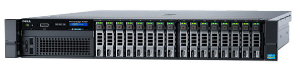 |
| Form Factor | 1u rack server | 2u rack server |
| Dimensions | 24 x 1.8" and 10 x 2.5" drive configuration: H: 4.28 cm (1.68 in), W: 48.23 cm (18.98 in), D: 75.51 cm (29.72 in) 8 x 2.5" drive configuration: H: 4.28 cm (1.68 in), W: 48.23 cm (18.98 in), D: 70.05 cm (27.57 in) | H: 8.73 cm (3.44 in), W: 44.40 cm (17.49 in), D: 68.40 cm (26.92 in) |
| Processors | Intel® Xeon® processor E5-2600 v3/v4 product family. Up to 22 cores per processor. | Intel® Xeon® processor E5-2600 v3/v4 product family. Up to 22 cores per processor. |
| Processor Sockets | 2 | 2 |
| Chipset | Intel C610 series chipset | Intel C610 series chipset |
| Maximum Memory | 1.5TB (24 DIMM slots): 4GB/8GB/16GB/32GB/64GB DDR4 up to 2400MT/s | 3TB (24 DIMM slots): 4GB/8GB/16GB/32GB/64GB/128GB DDR4 up to 2400MT/s |
| Drive Bay Configurations | 24 x 1.8" - SATA SSD 10 x 2.5" - HDD: SAS, SATA, nearline SAS SSD: SAS, SATA, Up to 4 NVMe PCIe 8 x 2.5" - HDD: SAS, SATA, nearline SAS SSD: SAS, SATA | 16 x 2.5" HDD: SAS, SATA, nearline SAS SSD: SAS, SATA 8 x 3.5" HDD: SAS, SATA, nearline SAS SSD: SAS, SATA |
| Max Internal Storage | 24 x 1.8" – 23TB via 0.96 TB SATA SSD 10 x 2.5" – 18TB via 1.8TB SAS HDD 8 x 2.5" – 14TB via 1.8TB SAS HDD | 16 x 2.5" – 29TB via 1.8TB SAS hard drives 8 x 3.5" – 64TB via 8TB NL SAS hard drives |
| I/O Slots | 3 x PCIe 3.0 slots plus dedicated PERC slot | 7 x PCIe 3.0 plus dedicated PERC slot |
| RAID Controllers | Internal controllers: PERC S130 (SW RAID), PERC H330, PERC H730, PERC H730P External HBAs (RAID): PERC H830 External HBAs (non-RAID): 12Gbps SAS HBA | Internal controllers: PERC S130 (SW RAID), PERC H330, PERC H730, PERC H730P External HBAs (RAID): PERC H830 External HBAs (non-RAID): 12Gbps SAS HBA |
| Power Supplies | 750W AC power supply; 1100W power supply; Platinum 495W, 750W, 1100W | 750W AC power supply; 1100W power supply; Platinum 495W, 750W, 1100W AC power supply; |
| Operating Systems | Microsoft Windows Server® 2008/2012 SP2, (x64 includes Hyper-V®) Microsoft Windows Server 2008/2012 R2, x64 (includes Hyper-V®) Novell® SUSE® Linux Enterprise Server Red Hat® Enterprise Linux | Microsoft Windows Server® 2008/2012 SP2 (x64 includes Hyper-V®) Microsoft Windows Server 2008/2012 R2, x64 (includes Hyper-V®) Microsoft Windows HPC Server 2008 Novell® SUSE® Linux Enterprise Server Red Hat® Enterprise Linux |
| Systems Management | IPMI 2.0 compliant Dell OpenManage Essentials Dell OpenManage Mobile Dell OpenManage Power Center | IPMI 2.0 compliant Dell OpenManage Essentials Dell OpenManage Mobile Dell OpenManage Power Center Dell OpenManage Integrations: • Dell OpenManage Integration Suite for Microsoft® System Center • Dell OpenManage Integration for VMware® vCenter™ |
| Remote Management | iDRAC8 with Lifecycle Controller, iDRAC8 Express | iDRAC8 with Lifecycle Controller, iDRAC8 Express |
Size
It’s important to factor in the size Businesses that only have one or two rackmounts may want to consider the R630 for its 2u performance packed into a 1u chassis. While the R730 is a performance powerhouse, it takes up 2 units on your rackmount. It’s a good idea to think about how much computing power and storage you are getting per unit on your rackmount.
Memory
One of the major differences between the R630 and the R730 is the amount of memory each server can hold. In its compact design, the R630 can hold up to 1.5TB of RAM using 24 DIMM slots, up to 64GB per slot. If 1.5 TB isn’t enough, the R730 can be configured for up to 3TB of memory using 24 DIMM slots, up to 128 GB per slot.
Drive Bays & Storage
The R630 and the R730 each come with their own set of drive bay configurations that offer different storage options. The R630 has the following drive bay configurations: 24 x 1.8″ SSD – up to 23TB via 0.96 TB hot-plug SATA SSD; 10 x 2.5″ drive bays – up to 18TB via 1.8TB hot-plug SAS HDD; or 8 x 2.5″ drive bays – up to 14TB via 1.8TB hot-plug SAS HDD.
If you need more storage, the R730 can deliver. Dell’s R730 can be configured in one of two ways: 16 x 2.5″ drive bays – up to 29TB via 1.8TB hot-plug SAS hard drives, or 8 x 3.5″ drive bays – up to 64TB via 8TB hot-plug NL SAS hard drives.
I/O Slots
Both servers come with additional PCIe slots that can increase the computing power of your device. The R630 has PCIe three slots while the R730 has seven. Customize your server with additional GPUs, RAID cards, Wi-Fi cards, or SSDs. Each model also comes with a dedicated PowerEdge Raid Controller (PERC) slot to increase performance, efficiency, and uptime of your server.
Operating Systems
The 13th generation of Dell servers support the following operating systems: Microsoft Windows Server® 2008/2012 SP2, x86/x64 (x64 includes Hyper-V®), Microsoft Windows Server 2008/2012 R2, x64 (includes Hyper-V®), Novell® SUSE® Linux Enterprise Server, and Red Hat® Enterprise Linux. Only the R730 can support Microsoft Windows HPC Server 2008. If you need a server that supports high power computing, the R730 is the right choice.
Virtualization
R630s and R730s can use VMWare or Hyper-V® to achieve virtualization. Virtualization can increase the efficiency of your data center by offloading large workloads to virtual machines, saving businesses money on server hardware and energy costs. Virtualization can reduce the number of servers your company needs, reducing the amount time your IT staff spends on configuring and managing your server.
Remote Management
Both the R630 and R730 come standard with the Dell iDRAC 8 express, which allows for remote management of the server without any additional software needed. iDRAC 8 allows for administrators to connect to the server from a smartphone, tablet, or another computer using a web browser. Take control of your server, no matter your location.
Making the Right Choice
Which server is the right fit for your business? With over twice the computing power of the previous generation, the R630 offers 2u performance in a 1u rack, which can increase the efficiency of your data center. The R630 is an ideal server for running transactional, analytical, and enterprise-level applications and can also be used for virtualization.
The R730, on the other hand, is a performance powerhouse. Boasting up to 3 TBs of memory and up to 64 TB of storage, the R730 is ideal for larger applications, such as medical imaging and email servers. The R730 can also support high performance computing applications using Microsoft Windows HPC server 2008.
So which one should you pick? The R630 is a great choice for its compact design and affordability. For business with large applications that demand higher computing power, such as hosting exchange servers and virtualization, both the R730 and 630 will be the perfect fit. Because both servers can be configured to very high levels of performance, be sure to compare how much memory and storage you are getting per rack unit. Here at SourceTech, we staff knowledgeable IT experts who can walk you through a custom server configuration for an R630 or an R730.
The Internet Of Things Is The Next Big Thing
The Internet of Things, or IoT, promises a revolution in how we gather and apply data. Billions of objects are already part of the IoT, and every one of those objects is constantly sending, receiving, collating and analyzing data. The result is a world that’s more connected, better informed, and better organized than ever before.
What is the Internet of Things?
The IoT exists at the system level, with several integrated components working together to make use of available data. There is almost no limit to the forms the IoT can take, but it usually consists of a few layers of operation, including:
- Data collection hardware – Data is the fuel that drives an IoT system, and the engine is the hardware that collects and delivers this data to larger nodes. Data collection hardware can be embedded into almost anything, and usually takes the form of a sensor, microcontroller, antenna or other data-gathering device.
- Data collation and transferring – Once data is collected from the system’s sensors and other hardware, it is sent to an IoT gateway or hub, which is often located in the cloud. This is the system’s middleman, providing a point of communication between data collection hardware and software used to analyze the data.
- Data analyzation software – This is essentially the brains of the system, as IoT makes use of various types of software to monitor incoming data and respond to it appropriately. Just as there is a variety of data collection hardware in an IoT system, there is an endless array of software solutions designed for IoT use. This could be managed through automated back-end systems or analyzed by a user through a remote interface.
What makes the IoT work is communication. Every part of the system communicates with each other and does so constantly, without the need for human intervention. The result is a system that adapts rapidly to changing conditions, which is something that has enormous potential in the commercial and private sectors.
A brief history of the Internet of Things
The IoT has emerged from a conglomeration of various technologies, and the term was first coined in 1999 by Kevin Ashton, a technology expert with Proctor & Gamble. However, though the IoT was first named by Ashton, the concept had been noted years before. The first smart device was probably a modified Coke machine at Carnegie Mellon University that could tell remote users whether or not cold drinks were present. In the early 90s, computing experts on the leading edge were already seeing the beginnings of the IoT, and Microsoft was putting its research teams to work on leveraging its potential.
Many consider late generation supervisory control and data acquisition systems, or SCADA, to be the first true examples of the IoT. Because SCADA leverages both hardware and software components to gather, deliver and analyze data, the comparison makes sense.
However, the IoT has emerged out of many other technologies, so it’s difficult to track its exact progress. Cisco estimates that between 2008 and 2009, more “things” were connected to the internet than people, and this the true birth of the IoT for many. No matter when it was born, though, it’s only gaining in importance.
By 2025, Hewlett Packard predicts there will be more than 1 trillion devices connected to the IoT, up from about 9 billion in 2013. The IoT is growing exponentially.
What can the Internet of Things do?
The short answer is – no one really knows the extent of the IoT. It’s still a novel concept, but it appears to have nearly limitless potential. Already, it is utilized in a diverse range of applications, from home automation to enterprise-level, big data initiatives. For instance, some heavy machinery manufacturers are embedding sensors in their engines to track performance and fuel usage. Some of these manufacturers are already reducing fuel use and emissions dramatically, improving the efficiency of construction, oil & gas and shipping fleets the world over.
This is just one example, though a major one, of how the IoT can change industries and the world for the better. There are many other applications that reinforce this point, including:
- Home automation – Home automation is big industry, projected to be worth about $80 billion by 2022, and it’s all made possible with IoT technology. Smart homes have seemingly been promised for decades, but with IoT integration, homes can do many things without people getting involved. For example, smart homes can automatically lock doors, change lighting levels, alter the home’s temperature, switch devices on and off and send various alerts to the home’s occupants. This last function can be leveraged to provide better home security and maintenance, like sending an alert when an appliance experiences an issue.
- Wearables – Wearables refer to anything that is worn on or attached to a person. They largely utilize sensors to monitor things like heart rate, respiratory rate or temperature. There are many applications that can be developed from this concept, including health, fitness and emergency response uses. For instance, firefighters and emergency personnel equipped with vitals-monitoring allow for a faster response should someone sustain injury. Wearables can also be embedded in fitness clothing to help athletes track their performance and health.
- Vehicles – Smart vehicles are already appearing, and they promise a revolution in driving. Vehicles with IoT integration can already monitor their own performance and maintenance, so they can last longer and operate more efficiently. This is only the beginning, though, because several vehicle manufacturers are working on automated driving technology as well. This requires extensive IoT architecture to ensure safe vehicle operation, but manufacturers are promising self-driving vehicles soon.
- Smart cities – Cities constantly have to face the kind of challenges that can only be solved with the proper use of data. For example, many cities have issues with energy distribution or traffic congestion, and these are problems that can be fixed with a clever IoT network. Traffic intersections, for instance, can be embedded with sensors that track how many vehicles enter the intersection at certain times, altering traffic light patterns in response to congestion. Many cities have already begun adopting this technology.
Smart cities can keep track of which areas have issues with water, energy or trash services. They can organize maintenance efforts more efficiently, provide more responsive customer service and target areas of waste, all of which will improve city services. IoT can also enable stronger surveillance, with monitoring systems collecting data on crime and helping focus crime-prevention efforts.
- Smart agriculture – The agricultural industry is one of the greatest beneficiaries of the IoT systems, and perhaps the most important use of the IoT so far. Smart agriculture is focused on getting more from farmers and their resources, ensuring greater yields and food availability. IoT data collection sensors can be embedded in the soil, detecting changing levels in moisture or nutritional composition. A second, also powerful, benefit of the IoT in agriculture is that advancements in growing can quickly be disseminated to other regions, reducing hunger around the world.
Not too long ago, the IoT would have read like something out of a movie, but it’s far-reaching effects are very real. As the IoT network expands, so does its potential, and it’s already bringing paradigm-shifting developments to several industries and sectors. In all, although the exact future of IoT remains undecided, it’s power to affect positive change is already proven.
Cyber Security In 2019
Every company, every household and every institution should take cybersecurity seriously. As the world becomes more connected, cyberattacks are getting more sophisticated. Fortunately, cybersecurity is also getting more sophisticated, and though the threat of an attack remains very real, organizations have the security tools they need to keep their data safe.
Cybercrime has enormous destructive potential
Cybercrime may be committed out of sight, but it’s all around us. According to McAfee, the global cost of cybercrime in 2017 was about $600 billion. We’re all used to seeing statistics with large numbers attached, but $600 billion is almost one percent of the entire planet’s GDP. That’s far more than enough to disrupt many of the world’s economies. And that’s just the start because the numbers are climbing exponentially. In 2021, the cost of cybercrime is estimated to reach $6 trillion.
The Ponemon Institute, a research center focused solely on data protection, states that 54 percent of all businesses experienced at least one successful cyberattack in 2018. Many of those attacks only cause frustration and some wasted time, but even a short-lived exploit can leave a business in ruins. Consider, for instance, that 60 percent of all small and medium companies that suffer a cyberattack go out of business within six months of the attack. That’s a staggering number of business casualties from one source. Cybersecurity is something that organizations can no longer put off.
This is especially true when one considers the many vectors of attack that cybercriminals have at their disposal. Some of the recent headline-grabbing instances of cybercrime were launched through a seemingly innocuous route, such as the 2013 Target breach that cost the company hundreds of millions of dollars. During that attack, the company’s payment information was accessed through a third-party HVAC vendor – an angle that most businesses would never see coming.
Important components of effective cybersecurity in 2019
Fortunately, organizations are quickly catching on to the importance of cybersecurity. Though major data breaches will continue to increase, proper cybersecurity is reducing the likelihood of those events. Even better, modern cybersecurity measures are available to businesses and organizations of all sizes, so companies can choose not to be vulnerable to attack.
What does that approach look like? It should include these elements:
- An organized framework – Cybersecurity initiatives succeed or fail in the planning phase, so tight, detailed organization is a must. Organization is only one part of the equation though, as cybersecurity plans must be comprehensive.
All people, technology and processes must be incorporated into the cybersecurity plan, and this plan trusted to the executives to oversee. This framework must account for the company’s data, too, and this is where it can get tricky. With an increasing number of devices connected to enterprise networks, there’s often no easy way to account for every piece of data.
This issue is amplified when the cybersecurity plan’s larger scope must be executed, which should include the company’s third-party vendors and account for all possible vulnerabilities. That’s a daunting task, but one that organizations have to start with to ensure the plan is properly implemented.
- Cyberattack modeling – Ideally, organizations would challenge their cybersecurity procedures from the outside. By testing the system’s vulnerabilities from without, organizations get a clear look at where the weak spots are, and what kind of damage those weak spots could produce. Cyberattacks often target the same types of data, and by modeling an attack, companies can verify that their most valuable data is kept safe.
- Incident response – Ideally, in the future, cybersecurity may be 100 percent reliable, but even guarded organizations may still face the rare breach. Should that happen, it’s essential that the company have a response plan in place. The faster the company responds, the better its chances of minimizing damage, and reputation. Unfortunately, many organizations allow these plans to languish, so they aren’t ready to go when an attack does occur. It’s best to drill incident responses regularly and in an organized fashion to ensure constant readiness.
- Keep an eye on the data – Some of the worst breaches are caused by accident, often by careless employees, and many cyberattack vectors emerge from this fact. Companies should have detailed processes in place in how employees connect to the network, how their security credentials are established and what access employees are given. It’s generally a good idea to limit employees’ access to the network to reduce cyberattack potential and change out employee credentials regularly for the same reason.
- Don’t neglect the backup – IT experts have been telling the rest of us for years: Back up your data. That’s especially important for cybersecurity reasons, as a simple ransomware attack could hold the company’s data hostage. As frustrating as this is, it’s easily avoided with a simple data backup. Data backup is only a fallback option, but it’s a fallback that’s easy to implement and extremely reliable. Don’t go without it.
- Secure your servers – Firewalls and malware blockers are essential parts of server security, though they are only the first layer. Deep server hardening is also effective, as it includes additional authentication methods and tighter monitoring of server processes. IP restriction, two-factor authentication, adapting SSL and TLS for services, assigning file system privileges, isolating applications and keeping software updated are all valuable parts of a server security plan. A server security plan is part of an effective cybersecurity approach in 2019.
Cybersecurity should be a top priority for organizations in every sector and business in every industry. It’s attainable for every business, and the potential damage left behind by a cyberattack can be extreme. As one neglected vulnerability can be enough to result in catastrophe, smart, comprehensive cybersecurity planning is needed more in 2019 than ever before.
Linux on IBM Power
Linux has become a popular and reliable open source platform that many people use to run the operations of their business. Indeed, people are increasingly relying on Linux applications due to their flexibility, cost-effectiveness, and innovation. To gain an even more significant competitive edge, companies are turning to IBM to power their Linux platforms.
Linux on IBM power is an engine for maximizing workloads, reducing costs, and improving reliability. More businesses are realizing that IBM powered Linux systems are the key to better customer service, more responsive business applications, and an increased ability for the business to meet its rapidly evolving needs. The following are core benefits of running Linux on IBM power.
Savings in many different ways
Using IBM to power Linux systems poses savings in terms of cost, energy, and the environment. Currently, many businesses use single-purpose Linux servers that tend to be either underutilized on a daily basis, or incapable of handling heavy loads when businesses need it most.
A better model for saving on operational and energy costs is to use a single, yet larger system. Rather than multiple smaller Linux servers, a single IBM server can be devoted to running Linux applications. These more efficient IBM servers are capable of increasing their utilization rate by more than 60% while lowering operational costs. In addition, these powerful servers also result in lower energy consumption by businesses, leading to a higher return on investment.
To maximize operational efficiency, IBM servers are capable of sharing processors and memory capacity between client partitions in the same server. In this way, all available physical resources are put to good use even during peak power times.
A lower level of risk
A highly reliable and efficient Linux system results in the reduced risk of downtime by businesses. Linux and its IBM counterpart both run on a RISC platform, one of the best in the industry at the moment. Therefore, the IBM server provides an energy efficient and reliable platform upon which Linux applications can efficiently run with minimal energy consumption. By focusing on power consistency, increased virtualization capabilities, and technology that is focused on value, the IBM powered Linux platform is hard to compete with.
Another way in which the IBM power reduces risk is by keeping Linux applications running 24/7. The server also implements a predictive maintenance model that detects and responds to problems before they even arise. This includes identifying specific issues that are prone to failure before they occur, restarting workloads without disrupting the functioning of the application, and an in-built ability to self-heal.
Better responsiveness and service delivery
A top concern for any business is to respond to customer needs in a timely fashion. The IBM powered Linux platform makes it possible for businesses to significantly improve their services delivery. The ability for these servers to increase their capacity on demand, boost memory functioning, and easily adjust usage, makes them truly stand out in the IT sector.
For example, the server is capable of creating micro-partitions that can handle low applications. In this way, the processor can devote more resources towards higher traffic Linux applications that are critical for customer satisfaction.
In a world where we need to become increasingly interconnected, IBM powered systems facilitate the sharing of information and resources across disparate systems in order to fuel efficiency and productivity in a business’s operations.
Technology Trends for Telecom in 2018
The telecommunications sector continues to play a significant role in multiple areas of daily life. From facilitating social interactions to fuelling business transactions, telecom is here to stay. Advancements in technology have led to significant innovations that are expected to shape the telecom industry moving forward.
The 2018 trends in telecom are moving towards increased social participation, advancements in infrastructure, and better solutions for businesses. Here is what we can expect in the telecom space in 2018 and beyond.
The rise of Artificial Intelligence
Artificial Intelligence has significantly influenced the operational framework of multiple industries, and the telecom space has not been left behind. Indeed, we can expect AI to enhance how telecom services are delivered on a daily basis. Through AI, services will become increasingly personalized and the customer experience will become much improved.
In addition, the use of automation and analytics in conjunction with AI will ultimately enable users of various telecom technologies to enjoy increased efficiency and more opportunities for growth.
Higher speeds and more complicated products
As the needs of people and businesses within the communications space continue to expand, the telecom sector will be faced with the challenge of improving the speeds of devices and connections. For example, businesses will need to equip their devices with higher speed internet connections to facilitate advanced technologies such as VoIP and IoT devices.
As telecom technologies continue to become more complicated, users will be faced with the challenge of simplifying user interfaces in order to get the best out of their devices. We can expect the telecom industry to develop technical products that take advantage of new technologies but at the same time are easy to use.
AR and VR is expected to fuel the growth of mobile data
With the increased usage of augmented and virtual reality in current communication devices, we can expect these technologies to fuel a more efficient and reliable mobile data network. Both AR and VR require a lower latency along with higher bandwidth as well as edge computing.
A top concern for telecom operators moving forward will be their ability to develop deep network analytics and other capital expenditures that will provide a framework for mobile data to become more reliable.
The Internet of Things
The Internet of Things has revolutionized many different industries. In the telecom space, IoT technologies are expected to have an even greater influence. This is because communication devices need to share information in real time in order to facilitate the operational efficiency that IoT poses.
In addition, network operators will be faced with the decision to become either platform providers or resellers of IoT devices. Moving forward, operators will also have the opportunity to collaborate with global IoT facilitators in order to develop interconnected platforms that adhere to specific industry verticals (such as the manufacturing, industrial and aviation space).
The rise of 5G
With 5G being in its advanced stages of implementation, players in the telecom industry are expected to pioneer the use of 5G in both mobile technologies and other devices. 5G is expected to be faster and more reliable, and operators will leverage this new platform to lead the movement on more reliable telecom devices.
2018 is a promising year for the telecommunications sector. With the use of AI, higher speed and more complex devices, as well as the IoT, players in the telecom space are expected to develop more customized user experiences as well as more reliable communication platforms.
HP BL460c Gen 9 vs. Gen 10
The HP Gen X line of servers are industry leaders in accelerating data center performance and managing hybrid workloads. If your business is looking to boost performance, maintain scalable options and handle virtualization capabilities with increased efficiency, the HP BL460C Gen 9 and Gen 10 servers are a top choice.
When it comes to making a choice between these two high-end servers, there are several important factors to consider. Let’s look at a side-by-side comparison:
| Model | BL460c Gen 9 | BL460c Gen 10 |
| Processors | Up to two Intel® Xeon® processor E5-2600 v3 or v4 product family | Up to two Xeon® Scalable processors – 3100, 4100, 5100, 6100, and 8100 series. Up to 150W |
| Memory | Maximum (LRDIMM). 2TB (16 x 128GB) up to 2400MT/s at 1.2V | Maximum (LRDIMM) 2TB. 16 x 128GB up to 2666MT/s at 1.2V |
| I/O Slots | I/O mezzanine cards: 2 x PCIe 3.0 (x8) mezzanine cards | I/O mezzanine cards: 2 x PCIe 3.0 (x16) mezzanine cards |
| RAID Controllers | Internal controllers: PERC S130 (SW RAID), PERC H330, PERC H730, PERC H730P | One (1) HPE Smart Array P204i-b 12G SAS modular Controller with 1GB Flash-Backed Write Cache (FBWC), or HPE Smart Array S100i SR Gen10 SW RAID |
| Max Internal Storage | Hot Plug SFF SAS. Up to 7.68TB (2 x 3.84TB) | Hot Plug SFF SAS. Up to 7.68TB (2 x 3.84TB) |
| Drive Bays | 2 x 2.5″ PCIe SSD’s | 2 x 2.5″ SAS/SATA (HDD/SSD), NVMe SSD |
Business Agility and Workload Management
Today’s businesses are in most need of agility, flexibility, and scalability. Indeed, the needs of customers and the business can change rapidly and at a moment’s notice. That is why the HP gen 9 comes with the ability to offer value across multiple workloads.
With businesses operating in an environment that requires low costs, faster computing times and rapid innovation, the HP BL460c Gen 9 is capable of managing a variety of workloads without adding costs to your bottom line. The Gen 9 contains the appropriate storage capacity for varying workloads such as simple computing and virtualization. The HPE OneView platform makes it even easier for the Gen 9 to accelerate IT service delivery while boosting performance.
As the business environment continues to become fast-paced, the HP BL460c Gen 10 server has what you need to keep up. With its 16GB HPE Persistent Memory, there are only a few workloads that this server cannot handle. In fact, the Gen 10 features a drive improved economics framework that results in a 75% reduction of licensing costs. Simply put, the Gen 10 keeps you up to date with emergent IT infrastructure.
Performance Capabilities
The HP BL460c line of servers does not compromise on performance. In fact, the HP Gen 9 is equipped with an Intel Xeon E5-2600 v4 processor that is capable of boosting performance levels by 21% from previous models. And with an HPE DDR4 memory capacity that has 2400 MT/s, the throughout ability of the Gen 9 is increased by up to 33%. If you have a power hungry data center, you need not look further than the HP Gen 9.
If you’re managing data resilient centers and highly analytical workloads, the HP Gen 10 server is a top choice. In addition to its previously mentioned 16GB HPE memory capacity, the Gen 10 also boasts the latest Intel Xeon Processor that is scalable with up to 26 cores. It also features 12Gb SAS and up to 2Tb of smart-memory. This means that its performance is unrivaled for a data center of any size.
Versatility and Scalability
The HP ProLiant Gen 9 maintains versatility for your data center in two main ways. First, its storage options that feature HPE Smart Arrays, smart host USB adapting, and B140i Controllers make memory capacity superior for this server. Secondly, its pass-through cards (particularly NVMe) enable an improved TCO to handle a range of workloads.
The HPE ProLiant Gen 10 Server does not compromise on versatility either. It features the highly innovative HPE Virtual Connect Enterprise Software that enables efficient migration from legacy systems to HPE OneView 3.0 and later platforms. If your data-center is lagging behind and needs an upgrade, the Gen 10 is definitely the way to go.
Wrap up
When making the choice between the Gen 9 and gen 10 server, it comes down to your preferences in workload management, memory capacity, and scalability. Another factor is price per performance, with the M630 being one generation older and offering a lower cost and a great value. However, if you need and can afford current technology, the M640 would be best choice. The experts at SourceTech have been specializing in servers for over 20 years and can help you make the best choice for your business needs. Contact us today.
Dell PowerEdge M630 vs M640
Dell has been well known for their ability to produce high-quality servers that can run the most demanding workloads for businesses. The Dell PowerEdge M630 and M640 are both high-end blade servers that are built with performance, efficiency and automation in mind.
When choosing between the M630 and M640, there are several important factors to consider. Let’s look at a side-by-side comparison:
| Model | M630 | M640 |
|---|---|---|
| Product Image | 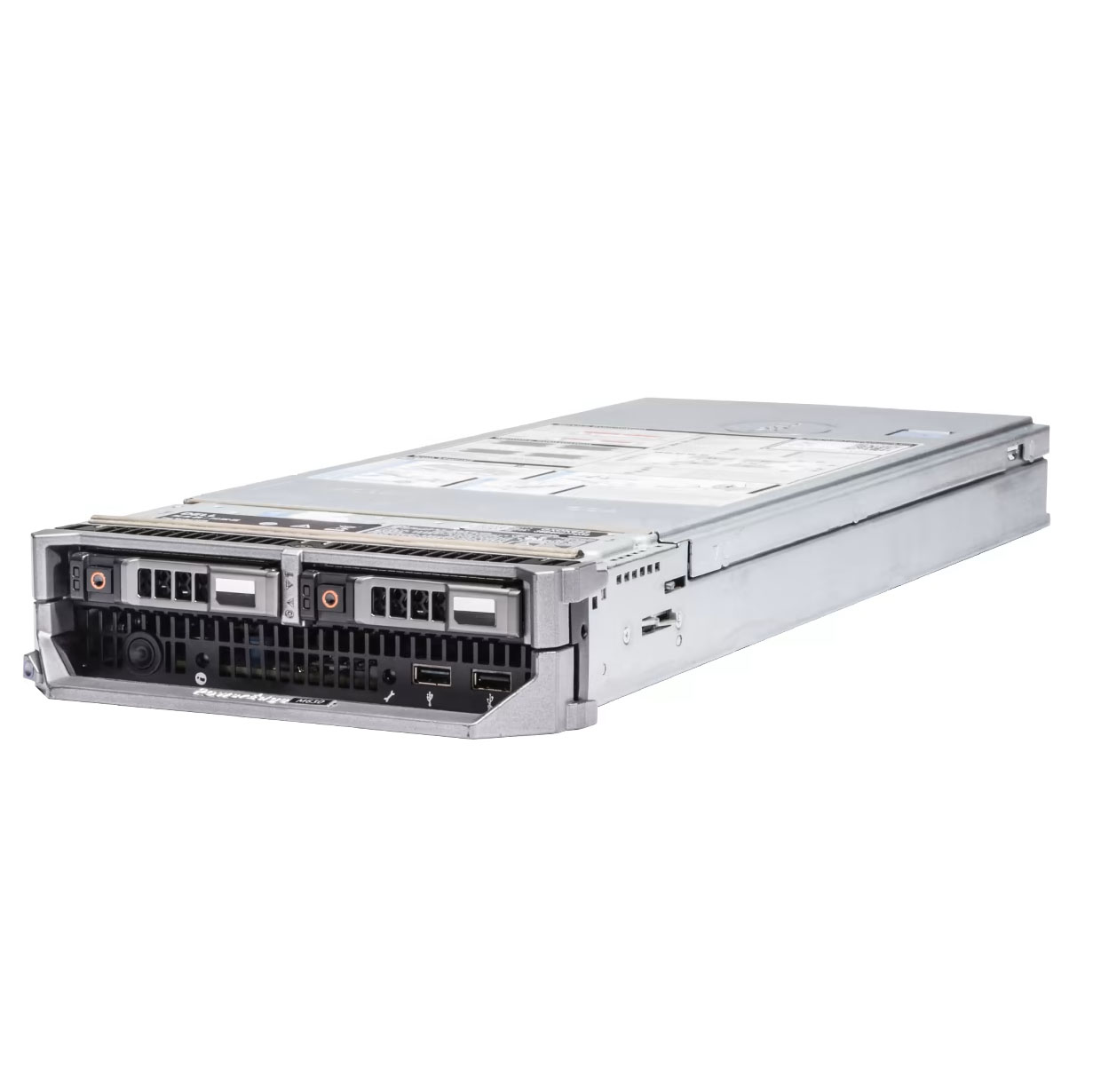 | 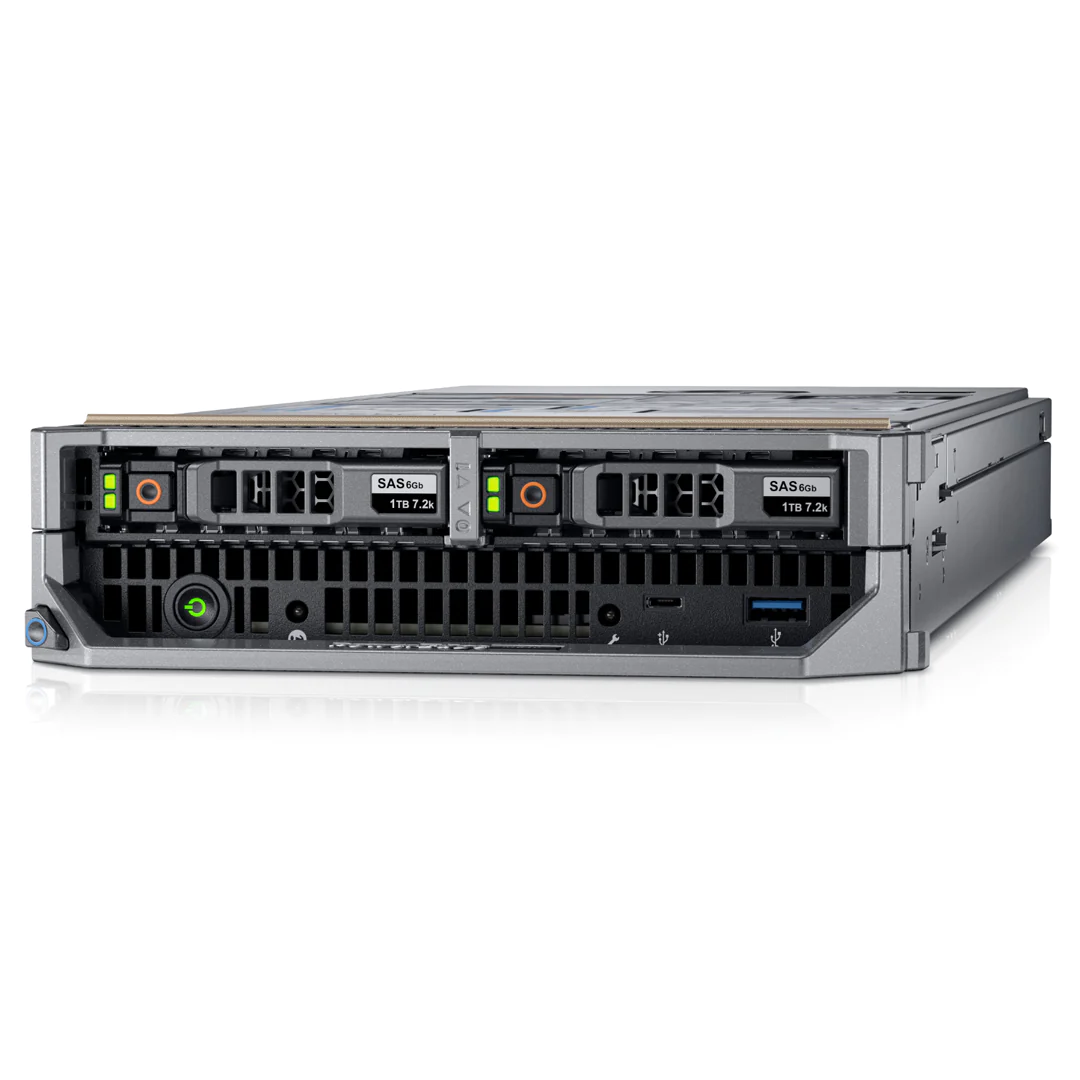 |
| Form Factor | Half-height blade with up to 16 nodes in a 10U M1000e chassis; up to four nodes in a VRTX chassis | Half-height form factor. Up to 16 half-height Dell M640 server nodes can be installed. |
| Dimensions | H: 197.9 mm (7.79 in), W: 50.35 mm (1.98 in), D: 564.9 mm (22.2 in) | D: 544.32 mm x W: 50.35 mm x H: 197.9 mm (Handle push in) D: 564.87 mm x W :50.35 mm x H: 197.9 mm (Handle pull out) |
| Processors | Up to 2 Intel® Xeon® processors E5-2600 v4 product family | Up to two Intel® Xeon® Scalable processors |
| Memory | Up to 1.5TB (24 DIMM slots) DDR4 up to 2400MT/s | Up to 2TB (16 DDR DIMM slots) up to 2666MT/s |
| Drive Bays/Storage | PowerEdge Express Flash NVMe PCIe SSD, SATA HDD/SSD or SAS HDD/SSD 4 x 1.8" SSD. 2 x 2.5" PCIe SSDs | Front: Up to 2 x 2.5” SAS/SATA (HDD/SSD), NVMe SSD, max 12.8 TB |
| I/O Slots | 2 x PCIe 3.0 (x8) mezzanine cards | Network daughter card options 2 x 10GE + 4 X 1GE, 4 x 10GE |
| RAID Controllers | PERC S130 (SW RAID), PERC H330, PERC H730, PERC H730P | Software RAID S140, PERC9 H330, H730P |
| Operating Systems | Microsoft® Windows Server® 2016 Microsoft Windows Server 2012 R2 SUSE® Linux Enterprise Server Red Hat® Enterprise Linux VMware® ESXiTM | Canonical® Ubuntu® LTS Citrix® XenServer® Microsoft Windows Server® with Hyper-V Red Hat® Enterprise Linux SUSE® Linux Enterprise Server VMware® ESXi |
| Systems Management | Dell OpenManage Essentials Dell OpenManage Mobile Dell OpenManage Power Center | OpenManage Enterprise OpenManage Essentials OpenManage Mobile OpenManage Power Center |
| Remote Management | iDRAC8 with Lifecycle Controller iDRAC8 Express | iDRAC9 with Lifecycle Controller iDRAC Direct iDRAC REST API with Redfish Chassis Management Controller (CMC) |
| Request A Quote On A Dell M630 > | Request A Quote On A Dell M640 > |


Achieving high data center performance
Data center performance is often tied closely with memory capacity. The Dell PowerEdge M630 boasts an advanced memory capacity of 24 DDR4 DIMM slots, and up to 4 SSD drives. This gives the server enough capacity to handle High Performance Computing. In addition, its Intel Xeon E5-2600 v4 processor makes the M630 rank highly in performance capabilities for your data center.
If you desire a scalable and high-performance server that can handle a variety of workloads, the PowerEdge M640 is a top choice for you. From its build quality and design, the M640 is a performance workhorse. Its outside architecture features a blade server chassis that allows users to get up to 16 Intel scalable dual-socket compute nodes.
This means that you can easily scale up your workloads to handle HPC, Anything as a Service requirement (XaaS), and even cloud applications. As more businesses seek to switch to the cloud to handle critical business processes, the XaaS and cloud computing capabilities of the M640 offer your data center this much-needed capability.
Managing workload capacity
Both the Dell PowerEdge M630 and M640 servers are capable of managing flexible and scalable workloads. They offer flexible memory options and scalable nodes that make it possible for your data center to handle any surges in capacity.
The M630 is able to achieve this scalability primarily through its flexible memory options and bandwidth capability. The M630 offers Dell network adapters that are capable of offering speed, fabric, and vendor that is associated with data center workloads. With these options, you can tailor the server to handle precise workloads according to the specific bandwidth requirements.
Managing workload capacity on the PowerEdge M640 involves a combination of automation, architectural design, and processing power. The 16 Xeon Scalable nodes on the M640 are all housed in a single chassis that compacts power into a highly convenient design. In addition, its half-height construction makes it easy to fit into data centers with tight spaces and high computing requirements.
Automation capabilities
What sets the Dell PowerEdge servers apart is their ability to incorporate automation. The intelligent Dell OpenManage System provides the framework for remote access, virtual environments, and automation of routine tasks by administrators.
Starting with the Dell M630, its OpenManage framework features a systems management portfolio that can integrate with third-party solutions. It also allows for remote monitoring capabilities from a smartphone, tablet or other mobile devices.
And just when you thought automation couldn’t go any further, the PowerEdge M640 came along. It allows for a choice of collective or individual management of servers all via the Dell automation platform (Dell EMC Chassis Management Controller). The Dell EMC platform is compatible with OpenManage to achieve essential automation capabilities such as control from mobile applications or receipt of hardware alerts from anywhere and at anytime.
Wrap up
Ultimately, the choice between the Dell PowerEdge M630 and M640 is a consideration of performance capability, budget, workload management and automation. If you desire advanced memory capabilities, a simple design, and easy to customize interface/workloads, the M630 is the server for you. Another factor is price per performance, with the M630 being one generation older with a lower cost and great value. However, if you prefer a server with a flexible and scalable architecture, high density, and an emphasis on automation and data security – the PowerEdge M640 is the server of choice. SourceTech have been specializing in servers for over 20 years and we can help you make the right choice for your business. Contact us today.